
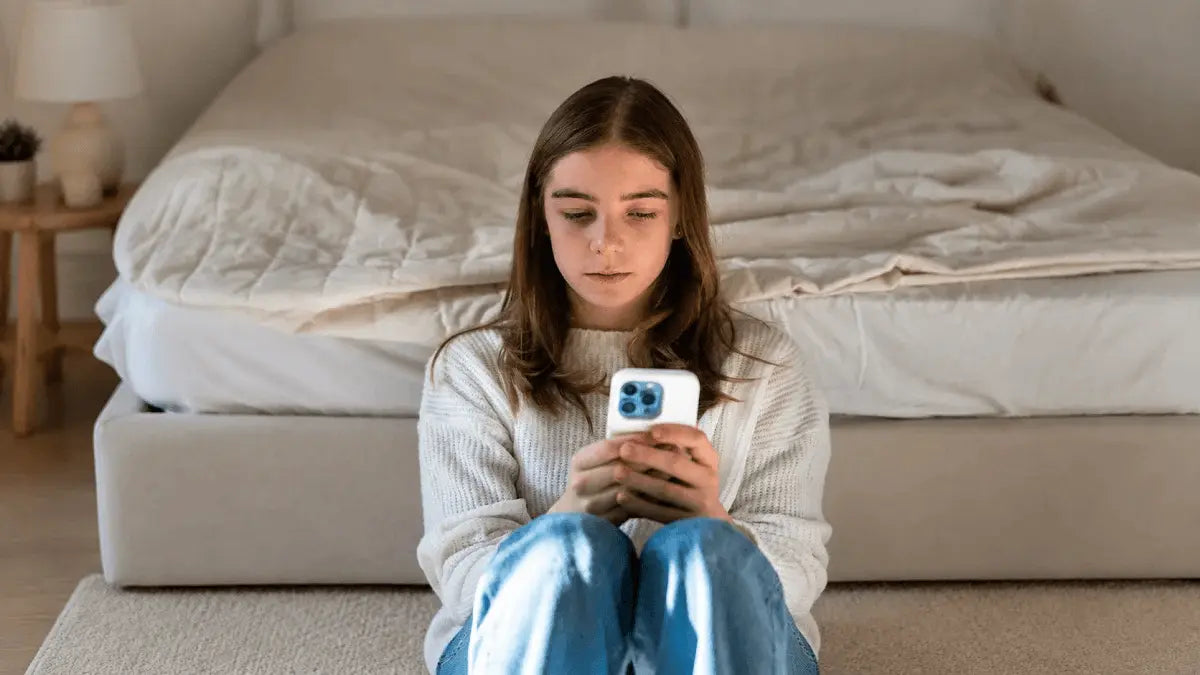
If you opened your phone for one update and looked up 40 minutes later feeling tense, tired or discouraged, you are not alone. Doomscrolling can turn a reasonable desire to stay informed into an automatic loop of negative headlines, emotional videos and endless commentary.
Stopping does not require throwing away your phone or ignoring important events. A more realistic goal is to create clear stopping points, reduce easy access to your most tempting feeds and prepare offline activities that meet the need behind the scroll.
Quick answer: To stop doomscrolling, notice when and why it starts, set a defined time for checking news, add friction before opening feeds and keep one easy replacement activity ready. Begin by replacing one scrolling session per day rather than trying to change every digital habit at once.
In this article:
- What Is Doomscrolling?
- Why Is Doomscrolling So Hard to Stop?
- Signs Doomscrolling Is Affecting Your Routine
- A Five-Step Plan to Stop Doomscrolling
- 15 Things to Do Instead of Doomscrolling
- Quick Doomscrolling Replacement Table
- A Seven-Day Doomscrolling Reset
- How to Stop Doomscrolling Before Bed
- Frequently Asked Questions
- Start With One Scroll-Free Moment
What is doomscrolling?

Doomscrolling is the repeated consumption of upsetting, alarming or emotionally intense online content, even when continuing makes you feel worse. It commonly happens on social media, news apps, video platforms and discussion forums with continuously refreshing feeds.
The important difference between staying informed and doomscrolling is intention. Intentional news use has a purpose and an ending: you check a trusted source, learn what you need and leave. Doomscrolling feels harder to control. You continue searching for updates, certainty or relief even though each new item adds more tension.
Doomscrolling is a descriptive term, not a medical diagnosis. However, research has found associations between higher doomscrolling and psychological distress or lower well-being. These studies show relationships rather than proving that scrolling alone causes every reported effect. For example, a study examining doomscrolling, distress and well-being emphasized that more longitudinal and experimental research is still needed.
Why is doomscrolling so hard to stop?

Understanding the loop removes some of the shame around it. Doomscrolling is not simply a failure of willpower. It often combines understandable human concerns with digital environments designed to keep presenting new material.
You are looking for certainty
During a crisis or stressful period, one more update can feel as though it might finally explain what is happening. Unfortunately, rapidly changing stories rarely provide complete certainty, so the search continues.
Negative information captures attention
Potential threats naturally feel urgent. A calm update is easy to leave, while a frightening headline can create new questions that encourage you to keep reading.
Infinite feeds remove stopping cues
A newspaper ends and a scheduled program finishes. An infinite feed does neither. Without a visible endpoint, you must make a fresh decision to stop after every post, often when your attention is already tired.
Your behavior shapes what appears next
When you pause on, replay or interact with emotionally intense content, platforms may show you more material with similar characteristics. Your feed can gradually feel more alarming than the broader information environment.
The habit becomes attached to a cue
Boredom, waiting, waking up, sitting on the sofa and getting into bed can all become signals to reach for a phone. Once the cue and response are repeated often enough, you may open an app before consciously deciding to do so.
Scrolling can begin as an attempt to cope
You may scroll because you feel lonely, anxious, mentally tired or unsure what to do next. The feed offers immediate stimulation, but it may not address the original need. A 2024 study of adult social media users reported relationships among doomscrolling, reduced mindfulness, secondary traumatic stress and mental well-being.
Signs doomscrolling is affecting your routine
Occasionally reading difficult news is not automatically a problem. It may be time to change your routine if several of these patterns happen regularly:
- You open news or social media without deciding what you want to check.
- You repeatedly lose track of time while scrolling.
- You continue after noticing that the content is making you tense or upset.
- You check several sources for the same update without learning anything useful.
- You reach for your phone immediately after waking or during every quiet moment.
- You scroll in bed and delay sleep.
- You neglect meals, movement, conversations, work or hobbies.
- You feel restless when the phone is out of reach.
- You promise yourself “one more post” but repeatedly continue.
You do not need to wait until every sign applies. If scrolling regularly takes time from something you value, that is enough reason to experiment with a different routine.
A five-step plan to stop doomscrolling
Step 1: Identify the cue
For three days, briefly record when the longest scrolling sessions begin. Note the time, location, app and feeling that came first. Common cues include boredom, anxiety, avoiding a task, loneliness and exhaustion.
The goal is observation, not judgment. “I scroll when I am tired after dinner” is more useful than “I have no self-control.”
Step 2: Decide when you will check the news
Choose one or two defined news windows instead of checking continuously. For example, read updates for 15 minutes after lunch and again in the early evening. Select a small number of trusted sources and avoid checking immediately before bed.
Use a timer if necessary. When it ends, write down any action you genuinely need to take, then close the app.
Step 3: Add friction before the feed opens
Small obstacles create time for a conscious choice. You can:
- Turn off nonessential news and social-media notifications.
- Remove tempting apps from the home screen.
- Log out after each planned session.
- Use your phone's built-in app limits or focus settings.
- Keep the phone in a bag, drawer or another room during selected activities.
- Charge it outside the bedroom or at least beyond arm's reach.
Step 4: Prepare a replacement before you need it
“Stop scrolling” leaves an empty space. Decide in advance what will fill it. Keep a book beside the sofa, walking shoes near the door, a journal on the nightstand or a craft tray ready on the table.
Choose replacements that are easy enough for your lowest-energy moments. If the alternative requires 20 minutes of preparation, the phone will usually win.
Step 5: Use the ten-minute switch
When you notice the loop, put the phone down and do your chosen alternative for ten minutes. You are not promising to avoid the internet all evening. You are simply interrupting the automatic sequence.
After ten minutes, decide again. Even when you return to your phone, the pause has turned an automatic behavior into a more intentional choice.
15 things to do instead of doomscrolling
The best alternative depends on what you need in that moment. If you are restless, move. If you feel lonely, connect with someone. If your mind is crowded, write. If you are bored, choose a small challenge.
1. Read five pages of a book
Choose a book that is already easy to reach and set a deliberately small target. Five pages provide a natural endpoint and encourage sustained attention without turning your break into another demanding task.
2. Build part of a DIY miniature house

A miniature project gives your hands a clear job and offers visible progress. Do not pressure yourself to complete the entire model in one evening. Assemble one piece of furniture, arrange one group of details or complete one page of instructions.
If you want an offline project ready for future screen-free sessions, explore the Toys Quiz DIY miniature house collection and choose a difficulty level that fits your experience.
3. Take a short walk
Walk for ten minutes without opening a feed. You can leave your phone at home when safe, place it in a zipped pocket or use it only for audio. Notice three sounds, three colors and three physical sensations along the way.
4. Work on a puzzle or model

Crosswords, jigsaws and three-dimensional models provide a defined problem and a visible sense of progress. For a longer building challenge, the ROKR Seahorse Barque 3D Wooden Puzzle can be divided into focused sessions. Complete one short instruction stage, then store the parts before returning to another task.
5. Write one page by hand
Write what you are worried about, what you can control and what can wait until tomorrow. If a blank page feels intimidating, begin with three lines: “Right now I notice…,” “The useful action I can take is…” and “For tonight, I will let go of…”
6. Call or message one person directly
If you are seeking connection, move from a public feed to a private conversation. Ask a specific question, share something ordinary from your day or arrange a short call. Direct connection is more intentional than watching hundreds of updates from a distance.
7. Learn one simple origami fold

Use a printed diagram if possible and make one simple shape. Origami is inexpensive, portable and easy to repeat. The finished object also provides a clear endpoint that an infinite feed lacks.
8. Stretch or move for five minutes
Stand up, roll your shoulders, walk around the room or follow a familiar gentle stretching routine. Choose movements that are comfortable for your body and stop if anything hurts.
9. Listen to one piece of music
Select the song or album first, place the phone face down and listen without browsing at the same time. Focusing on the instruments, rhythm or lyrics turns music into the activity rather than background for another feed.
10. Organize one small space

Choose one drawer, shelf or section of a desk—not the entire room. Set a ten-minute timer, remove obvious rubbish, group similar items and stop when the timer ends. A small finished task is more encouraging than an ambitious project left halfway through.
11. Prepare something simple to eat or drink
Make tea, cut fruit, prepare tomorrow's breakfast or cook a familiar recipe. Give the process your full attention and keep the phone away from the work surface for safety and focus.
12. Try a brief grounding exercise
Name five things you see, four things you feel, three things you hear, two things you smell and one thing you taste. Alternatively, take several slow, comfortable breaths without forcing a particular rhythm.
13. Start a low-pressure creative project
Sketch an object on your desk, color one section of a page, knit one row, take five photographs or arrange a small display. The aim is participation, not producing something impressive enough to share online.
14. Spend time outdoors

Sit on a balcony, water plants, walk through a park or drink your coffee outside. You do not need a long hike. A brief change of setting can interrupt the physical routine associated with scrolling.
15. Create a phone-free evening routine
Choose two or three low-stimulation activities for the final part of your evening. For example: prepare tea, write tomorrow's short task list, read ten pages and place the phone on its charger outside the bedroom.
Repeat the same sequence often enough that it becomes easier to begin without debating what to do.
Quick doomscrolling replacement table
| When scrolling usually starts | Try this replacement | Make it easier |
|---|---|---|
| Immediately after waking | Drink water and open the curtains | Charge the phone away from the bed |
| During a work break | Walk or stretch for five minutes | Leave walking shoes near your desk |
| While waiting | Observe your surroundings or read one page | Carry a small book or notebook |
| After difficult news | Write one useful action you can take | Keep paper beside your usual seat |
| When bored in the evening | Complete one short craft or puzzle stage | Prepare the materials before dinner |
| When feeling lonely | Send a direct message or arrange a call | Keep a short list of people you can contact |
| Before bed | Read, journal or listen to calm audio | Schedule focus mode before bedtime |
A seven-day doomscrolling reset
This is an experiment, not a punishment. Adjust it to your work, accessibility and safety needs.
- Day 1—Observe: Record when, where and why your longest scrolling session begins.
- Day 2—Reduce interruptions: Turn off nonessential notifications from news and social apps.
- Day 3—Create news windows: Choose one or two short times for intentional updates.
- Day 4—Move the apps: Remove tempting feeds from your home screen or log out.
- Day 5—Prepare an alternative: Set out a book, journal, puzzle or craft before the usual scrolling time.
- Day 6—Protect bedtime: Place the phone outside arm's reach for the final hour before sleep.
- Day 7—Review: Notice which change helped most and keep only the rules you can realistically repeat.
If you have an unplanned scrolling session, restart at the next opportunity rather than waiting for another week. Consistency grows from returning to the plan, not from completing it perfectly.
How to stop doomscrolling before bed
Bedtime scrolling deserves special attention because both the light from devices and stimulating content can make it harder to wind down. Medically reviewed sleep guidance recommends reducing screen use in the hour before bed; using night mode may help, but putting the device away is generally more effective.
- Choose a fixed time when social media and news end for the night.
- Set focus or do-not-disturb mode to begin automatically.
- Allow important contacts to bypass the setting if necessary.
- Charge the phone outside the bedroom or across the room.
- Use a separate alarm clock if the phone beside your bed is a strong cue.
- Prepare your book, journal or craft before the cutoff time.
- Write down concerns or tomorrow's tasks instead of searching for more information.
If you must use a device at night for work, care responsibilities or accessibility, reduce optional feed-based content and create the clearest boundary your situation allows.
Frequently asked questions
Is doomscrolling a mental health disorder?
No. Doomscrolling is a descriptive term for a pattern of consuming negative online content; it is not itself a formal diagnosis. It can still be worth addressing when it causes distress or interferes with sleep, responsibilities, relationships or activities you value.
Is doomscrolling the same as staying informed?
No. Staying informed is purposeful and limited. Doomscrolling tends to continue without a clear goal or endpoint and often repeats information you already know.
Should I delete every social-media app?
Not necessarily. Some people benefit from a temporary deletion, while others do well with notification changes, scheduled access or app limits. Choose the least restrictive method that reliably protects your time and well-being.
How long does it take to stop doomscrolling?
There is no universal timeline. Progress may begin as soon as you interrupt one automatic session, but creating a stable routine usually requires repetition. Measure success by whether scrolling becomes more intentional, not by maintaining a perfect streak.
What is the easiest replacement when I have no energy?
Use an activity that takes less than two minutes to begin: play one song, make tea, step outside, fold one piece of paper, read one page or write three sentences. Low-energy alternatives are often more sustainable than ambitious productivity goals.
Can hands-on hobbies help me spend less time on my phone?
They can provide a practical alternative because they occupy your hands, create a visible goal and introduce natural stopping points. They are not a treatment for anxiety or depression, but they may help you build a more satisfying screen-free routine.
What if I need to follow important breaking news?
Select one or two reliable sources, decide what information would require action and check at planned intervals. Emergency alerts can remain enabled while commentary, repeated clips and nonessential notifications are reduced.
When should I ask for professional help?
Consider speaking with a qualified health professional if scrolling is connected to persistent anxiety, low mood, panic, trauma symptoms, serious sleep disruption or difficulty functioning. If you feel in immediate danger or may harm yourself or someone else, contact your local emergency services or crisis support immediately.
Start with one scroll-free moment
You do not need to become perfectly disconnected to change your relationship with negative online content. Begin by finding one predictable scrolling cue and giving it a prepared alternative.
Check news with a purpose, add a little friction to infinite feeds and choose activities that match what you actually need—movement, connection, rest, creativity or a manageable challenge. Ten intentional minutes are more useful than an unrealistic promise to avoid your phone forever.
Looking for a hands-on alternative? Explore the Toys Quiz 3D wooden puzzle collection for projects that can be divided into focused, screen-free building sessions.
This article provides general educational information and is not medical or mental health advice.


Toys Quiz Team
The Toys Quiz Team creates practical guides for creative hobbies, hands-on projects and more intentional leisure time. We help readers discover rewarding ways to build, learn, relax and spend meaningful time away from everyday screens.
Toys Quiz is a creative lifestyle company dedicated to designing and developing 3D puzzles, toys, and wooden handicrafts. Subscribe to learn more.
Toys Quiz Team
The Toys Quiz Team creates practical guides for creative hobbies, hands-on projects and more intentional leisure time. We help readers discover rewarding ways to build, learn, relax and spend meaningful time away from everyday screens.
Toys Quiz is a creative lifestyle company dedicated to designing and developing 3D puzzles, toys, and wooden handicrafts. Subscribe to learn more.



Napsat komentář
Tento web je chráněn službou hCaptcha a vztahují se na něj Zásady ochrany osobních údajů a Podmínky služby společnosti hCaptcha.